






Busy professionals often find themselves juggling multiple tasks, deadlines, and meetings, leaving little room for the activities that truly move their careers forward. By embracing automation, you can reclaim precious hours every day and focus on high-impact work. Below is a curated list of ten indispensable tools that streamline routine operations, boost productivity, and let you dominate your day—all while keeping your sanity intact.
1. Calendly – The Ultimate Scheduling Automator
Managing appointments is one of the most time‑consuming chores for executives. Calendly removes the back‑and‑forth of email scheduling by offering a cloud‑based scheduling link that syncs with your calendar. When someone selects an opening, Calendly automatically records the event, sends reminders, and even fills out pre‑meeting questionnaires.
- Key Benefits:
- Zero‑email scheduling; reduces inbox clutter.
- Automatic time zone conversion ensuring no mis‑timed meetings.
- Built‑in reminders and follow‑up emails to keep clients engaged.
- Automation Features:
- Triggers a Google Workspace calendar event.
- Integrates with Zoom or Microsoft Teams to auto‑create meeting links.
- Syncs with Salesforce to capture attendee data instantly.
2. Zapier – The Workflow Maestro
Zapier allows you to create automated “Zaps” that connect your favorite apps—CRM, email marketing, task managers, and more—without writing a single line of code. With over 3,000 app integrations, Zapier is the bridge that turns scattered data into cohesive, automated workflows.
- Key Benefits:
- Reduces repetitive data entry.
- Integrates across cloud platforms (Google, Microsoft, Slack).
- Instant error notifications for failed tasks.
- Automation Features:
- Trigger and action workflows (e.g., when new lead enters HubSpot, add to Mailchimp).
- Scheduled multi-step Zaps to batch process information mid‑night.
- Conditional logic to route tasks based on data values.
3. Todoist – AI‑Powered Task Manager
Todoist transforms task lists into intelligent productivity engines. Its AI suggestions prioritize tasks based on deadlines, estimated effort, and user habits, while its robust labeling system ensures you never lose track of a project’s context.



- Key Benefits:
- Smart scheduling that learns your routines.
- Offline access with seamless sync when you’re back online.
- Collaboration features for team projects.
- Automation Features:
- Auto‑complete tasks on the same day you entered them.
- Integration with Google Calendar for instant deadline visibility.
- Automation API to connect with custom scripts or CRM systems.
4. Trello – Visual Kanban for Project Tracking
Trello’s card‑based kanban boards provide a clear picture of workflow stages—from “To Do” to “Done.” Trello’s Power-Ups enable automation such as moving cards when due dates expire or adding due dates when cards are dragged.
- Key Benefits:
- Intuitive drag‑and‑drop interface.
- Real‑time updates across devices.
- Customizable templates for recurring projects.
- Automation Features:
- Butler AI automates recurring actions (e.g., create checklists on specific dates).
- Automated notifications to stakeholders when cards reach certain statuses.
- Integration with Atlassian, Slack, and Microsoft Teams for cross‑platform alerts.
5. Notion – All‑in‑One Workspace
Notion’s flexibility turns it into a knowledge hub, task manager, and database. Its template library includes automated meeting notes, project trackers, and content calendars, making document management a breeze.
- Key Benefits:
- Combines wikis, docs, and tables in a unified interface.
- Offline editing with instant sync.
- Rich media embedding for presentations and videos.
- Automation Features:
- Database relations automatically pull data across pages.
- API for custom integrations (e.g., auto‑populate project leads).
- Custom templates that auto‑populate dates and assignments.
6. Slack Workflow Builder – Streamline In‑App Actions
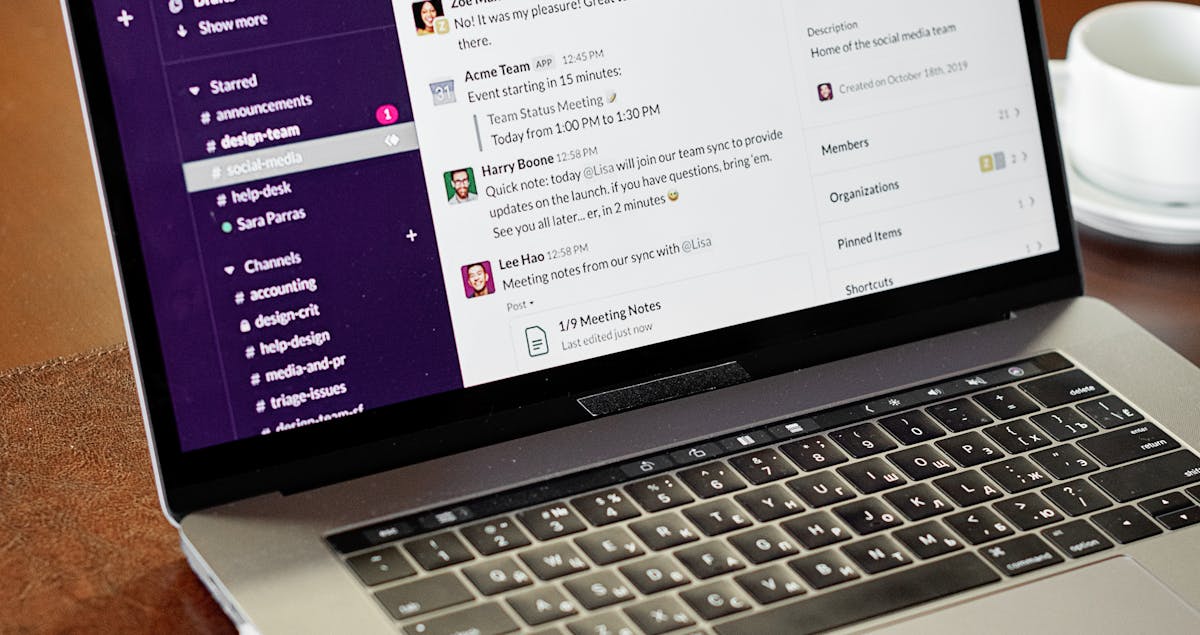
Slack’s Workflow Builder lets teams create custom forms, alerts, and actions that run automatically whenever someone interacts with a channel. By replacing manual status updates with automated triggers, Slack keeps everybody in sync.
- Key Benefits:
- Centralized communication with on‑demand alerts.
- Easy to use drag‑and‑drop interface for building workflows.
- Supports complex logic with conditional branches.
- Automation Features:
- Auto‑post updates to project channels when status changes.
- Trigger forms that automatically create entries in a Google Sheet.
- Custom notifications for HR or finance updates.
7. IFTTT – “If This Then That” for Everyday Actions
IFTTT bridges web services that otherwise might not talk to each other. For example, you can automatically save attachments from Outlook to Dropbox or post a tweet whenever a Google Sheet row updates.
- Key Benefits:
- Free tier available for most small business needs.
- Simple “if‑then” logic suitable for non‑technical users.
- Wide range of services, from smart home devices to business apps.
- Automation Features:
- Cross‑platform data replication (e.g., email to Trello, phone notifications).
- Multiple triggers per app for sophisticated logic.
- Time‑based activations for regular reminders or backups.
8. Grammarly Business – Writing Made Effortless

High‑level professionals can’t afford to waste time rewrites. Grammarly Business checks for grammar, tone, style, and even plagiarism, saving hours of editorial work and ensuring consistency across company documents.
- Key Benefits:
- Advanced tone detection for marketing and executive communications.
- Team dashboard tracks writing quality and style adherence.
- Integrates seamlessly with Gmail, MS Office, and Slack.
- Automation Features:
- Auto‑apply corrections before sending emails.
- API access for custom integrations (e.g., auto‑grade internal memos).
- Data export for quality audits.
9. HubSpot Free CRM – Centralize Contacts & Automate Outreach
HubSpot’s free CRM offers contact management, email marketing, and workflow automation at zero cost. It’s ideal for executives who need to nurture leads while automating repetitive outreach.
- Key Benefits:
- Unlimited users and contacts on the free plan.
- Email templates and sequenced outreach.
- Built‑in reporting dashboards.
- Automation Features:
- Lead scoring and tagging automatically based on engagement.
- Auto‑assign deals to team members.
- Trigger newsletters or follow‑up emails based on behavior thresholds.
10. Toggl Track – Time‑Tracking Made Simple

Knowing where your day goes is the first step to managing it better. Toggl Track’s one‑click timer, project tagging, and detailed reporting give executives a clear picture of time allocation, enabling precise budgeting of effort.
- Key Benefits:
- Intuitive timer that starts with a single click.
- Automatic project tagging and client categorization.
- Reports with visual Gantt charts and bar graphs.
- Automation Features:
- Auto‑start timers based on app usage.
- Integrations with Asana, Trello, and Jira to log time automatically.
- API for syncing custom timesheets with payroll systems.
Comparison Table: Top Automation Tools for Busy Professionals
| Tool | Core Function | Best For | Free Tier | Key Integration |
|---|---|---|---|---|
| Calendly | Scheduling Automation | Executives & Sales Teams | Yes (basic) | Google Calendar, Zoom, Outlook |
| Zapier | Workflow Automation | All Departments | Yes (limited Zaps) | Salesforce, Google Workspace, Slack |
| Todoist | Task Management | Personal Productivity | Yes (basic) | Google Calendar, Outlook, Slack |
| HubSpot Free CRM | CRM & Email Automation | SMBs & Startups | Yes (full) | Gmail, Outlook, Zapier |
| Toggl Track | Time Tracking | Project Managers | Yes (basic) | Asana, Trello, Jira |
How These Tools Transform Workflows

By combining scheduling, task management, communication, and analytics, you can create a seamless ecosystem where data flows automatically between systems:
- Incoming leads from social media are automatically queued in HubSpot, scheduled meetings via Calendly, and logged as tasks in Todoist.
- Daily reports are auto‑generated in Notion, pushed to Slack, and emailed to stakeholders using Zapier.
- All time entries from Toggl are uploaded to Google Sheets, and any deviations from planned hours trigger alerts in Slack.
These integrations reduce “switch‑time” – the cognitive load of moving between apps – and ensure consistent data across platforms. As research shows, the average professional spends over 10% of their workday on administrative tasks, which could be better spent shaping strategy. By automating the routine, you free up up to 30% of your time for higher‑value activities.
FAQs
Q1: Are these tools secure for sensitive company data?

All listed tools adhere to industry‑standard security practices: SSL encryption, multi‑factor authentication, and compliance certifications such as ISO 27001 and GDPR.
Q2: Can I run these automations on my mobile device?
Yes. Most tools have mobile apps (iOS/Android), allowing you to manage workflows on the go, receive notifications, and trigger automations from your smartphone.
Q3: Do I need a developer to set up integrations?
Not necessarily. Platforms like Zapier and IFTTT provide template “Zaps” or “Applets” that require no coding. For custom needs, a developer can use APIs or build scripts, but many pre‑built workflows cover the most common use cases.
Q4: How do I measure the ROI of automation tools?
Track key metrics: time saved per task, reduced duplicate work, and increased output. Tools like Toggl provide hour reports; CRM dashboards show reduced deal‑closing times, and workflow logs in Zapier indicate automation efficiency.
Q5: Can these tools integrate with Quantum Computing services to future‑proof my workflow?
While quantum computing applications are still emerging, you can keep an eye on research such as the Quantum Leap article that discusses how quantum algorithms may accelerate data analytics for tomorrow’s workflows.
By integrating these ten tools into your daily routine, you’ll not only save time but also scale your professional impact. Automate today, lead tomorrow.
For more insights on how emerging technologies are shaping business productivity, check out Lead Like a Visionary or the 2024 Playbook for Dominating Social Media Engagement.